More from Stardock — games like WindowBlinds 11
Below are 8 Steam games from Stardock, the studio behind WindowBlinds 11, ranked by total review count so their best-received titles land first. Whether you loved WindowBlinds 11 for the studio's signature design choices or just want to keep playing the same hands behind it, these are the picks worth checking. imho.run pulls developer assignments straight from each game's Steam metadata, refreshed daily.
Want the full alternatives list (paid + free + Steam Deck + cheaper picks)? See the parent games like WindowBlinds 11 page.
Ranked picks
- 1

Fences 3
Another Stardock title alongside WindowBlinds 11. Shares Utilities with WindowBlinds 11.
Automatically organize your desktop shortcuts, collect your icons in shaded areas, hide them with a simple double-click, and more. Creatives, streamers, and anyone who appreciates a clutter-free workspace will find the organizational solution they crave with Fences.
- 2

Start11
Another Stardock title alongside WindowBlinds 11. Shares Utilities with WindowBlinds 11.
Customize the Start menu and Taskbar in Windows 10 and 11 with several different layouts, positions, and aesthetic options using Start11 v1! Make the Start menu appear as it does in previous versions of Windows, enhance its functionality, and customize your setup just the way you like it.
- 3

Start11 v2
Another Stardock title alongside WindowBlinds 11. Shares Utilities with WindowBlinds 11.
Start11 v2 allows users to fully customize the Windows 10 and 11 Start menu experience with unique features, designs, and restore classic functionality from previous versions of Windows.
- 4

Fences 4
Another Stardock title alongside WindowBlinds 11. Shares Utilities with WindowBlinds 11.
Automatically sort your desktop apps, files, and folders on Windows 10 and 11 with Fences. Create shaded areas on your desktop, bring your fences to the front of active programs using Peek, and organize your PC with the world’s most popular desktop enhancement.
- 5

Multiplicity 3
Another Stardock title alongside WindowBlinds 11.
Instantly connect up to 2 PCs and control them with a single keyboard and mouse, copy/paste formatted text and images, send data easily between computers, and more. If you work between multiple computers to play, work, and create, Multiplicity is the tool you need to get more done.
- 6
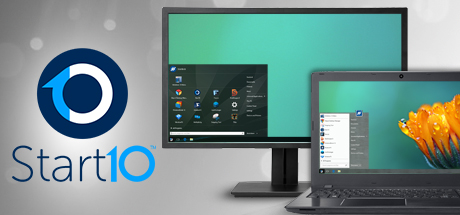
Start10
Another Stardock title alongside WindowBlinds 11. Shares Utilities with WindowBlinds 11.
Customize your Windows experience with Start10! Return to the classic Windows 7 look or try out the new Modern style. Change colors and apply textures, create filtered searches, and easily access Universal applications. All of this, plus integration with Fences, makes Start10 your Start menu alternative.
- 7

Groupy
Another Stardock title alongside WindowBlinds 11. Shares Utilities with WindowBlinds 11.
Keep all your apps together in browser-like tabs with Groupy! This app will transform the way you use your PC. A popular utility app from the makers of Fences and Multiplicity, Groupy lets Windows users group desktop windows together as easily as browsers group websites together.
- 8

SoundPackager 10
Another Stardock title alongside WindowBlinds 11. Shares Utilities with WindowBlinds 11.
Instantly change the default sounds on your Windows PC with high quality and cohesive sound packages using SoundPackager! Use one of the provided high quality sound packages, or create your own sound packages using the in-app editor.